Introduction
When it comes to buying land or plots in Pune—especially in semi-urban or rural areas like Mulshi, Pirangut, Wagholi, or Talegaon—the most crucial document you need to verify is the 7/12 extract, also known as Satbara Utara in Marathi.
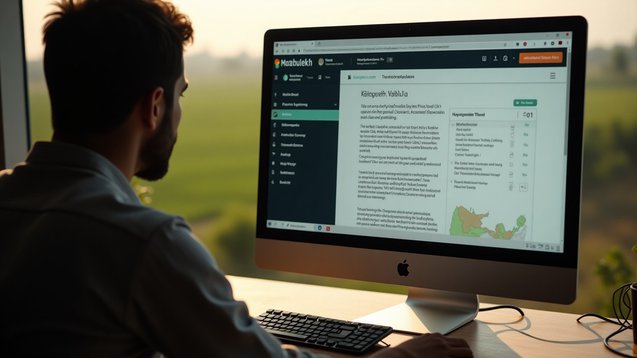
This official government record gives full details of land ownership, type, area, cultivation, and legal status. The best part is, you no longer need to visit the Talathi office to get it. The Maharashtra government has made it simple to check and download the 7/12 extract online through its Mahabhulekh portal.
This blog from Property Aaj explains everything in a simple and step-by-step manner—how to check your 7/12 extract online in Pune, what each section means, and how to ensure the land is legally safe to buy.
What is a 7/12 Extract (Satbara Utara)?
The 7/12 extract is an official land record document maintained by the Maharashtra Revenue Department. It is named after Form 7 and Form 12, which are combined to show:
Form 7: Ownership details (name of the landholder)
Form 12: Agricultural usage, crops, and other land-use data
This document is a primary record for rural land, and it helps verify:
Ownership history
Type of land (agricultural/non-agricultural)
Area and survey numbers
Any encumbrances or claims
Names of inheritors in case of ancestral land
Why is 7/12 Extract Important?
Whether you're buying a plot near Pune, a farmhouse in Mulshi, or a bungalow in Wagholi, checking the 7/12 extract ensures:
Legal title of the seller
Freedom from disputes or encroachments
Correct land measurement and survey numbers
Status of government claims (if any)
Details needed for loan or mutation
It’s also necessary for applying for land NA conversion, building approvals, or mutation (transfer of ownership).
Where to Check 7/12 Extract Online in Pune?
You can check the Satbara Utara online via:
Maharashtra Bhumi Abhilekh Portal:
https://bhulekh.mahabhumi.gov.in/Mahabhulekh Mobile App (Android/iOS):
Available on Play Store or App Store for easy mobile accessAaple Sarkar Land Records Portal
Integrated with Bhulekh system for certain functions
For most cases, bhulekh.mahabhumi.gov.in is the most reliable and updated portal.
Step-by-Step Guide: How to Check 7/12 Extract Online in Pune
Step 1: Visit the Official Mahabhulekh Portal
Go to: https://bhulekh.mahabhumi.gov.in
The homepage will ask you to select your division. For Pune, choose Pune Division (covers Pune, Satara, Sangli, Solapur, Kolhapur).
Step 2: Select District and Taluka
Select District: Pune
Select Taluka: Based on where your property lies (e.g., Haveli, Mulshi, Bhor, Junnar, Daund, etc.)
This will direct you to the local land record server for Pune district.
Step 3: Choose 7/12 Extract Option
Once you enter the local server, you'll see two tabs:
7/12 Extract (Satbara)
8A Extract (ownership details only)
Click on the 7/12 Extract tab.
Step 4: Enter Search Criteria
You can search using any one of the following:
Survey Number / Gat Number
First Name / Last Name of Landholder
Full Name of Landholder
Group Village Name
Account Number (Khata Number)
Note: Use Marathi spellings if possible. If unsure, take help from the seller or check on the Mahabhulekh mobile app which auto-translates some details.
Step 5: View and Verify the 7/12 Extract
Once you search, the site will display:
Landholder names
Survey number
Village and Taluka
Area (in Hectares/Ares)
Land type (agriculture/residential)
Any pending claims or remarks
Carefully verify:
Owner name(s) — should match the seller
Survey number & boundaries — should match your plot
Type of land — if it is agricultural or already converted to NA
Encumbrances or remarks — if there are any legal claims or pending mutation
Step 6: Download or Print the Extract
After viewing, you can download a PDF copy or take a printout. This digital 7/12 extract is valid for reference, but for official use (mutation, sale, etc.), you may require a digitally signed version.
You can get a digitally signed version by:
Visiting the nearest Talathi or Circle Office
Applying through Aaple Sarkar or SETU centers
Understanding the Sections of a 7/12 Extract
Let’s break down the key sections:
Common Problems While Checking 7/12 Online (And Fixes)
1. Page Not Loading or Crashing?
Try late night or early morning. The portal can be slow during peak hours.
2. Can't Find Owner Name?
Try surnames only or use survey numbers for better accuracy.
3. Marathi Font Not Displaying Properly?
Enable "Marathi Unicode" on your browser or mobile settings.
4. Data Mismatch with Sale Agreement?
Raise a query with the local Talathi Office. It could be an old record or needs correction.
Can You Use 7/12 Extract as Ownership Proof?
Yes, in rural areas like Mulshi, Junnar, or Velhe, the 7/12 extract is often the primary ownership record. However, it should be accompanied by:
Sale Deed (Registered)
Mutation Entry (Ferfar)
Property Tax Receipts
Title Search Report
Always cross-verify with the Property Card or Ferfar Sheet if you're buying land with older or disputed history.
When is 7/12 Not Needed?
If you're buying a flat or constructed property in Pune city, like in Kothrud or Baner, the 7/12 may not apply. Instead, focus on:
Sale deed
Property card
Building plan approvals
Occupancy Certificate (OC)
But for plots or standalone homes in fringe areas, always ask for 7/12 before buying.
How Property Aaj Can Help
Whether you're buying land in Mulshi, a farmhouse near Lavasa, or a villa in Hinjewadi Phase 3, verifying ownership is a must. Property Aaj offers:
Legal verification assistance
Title report services
Help with NA conversion
Guidance on 7/12, mutation, and more
You can explore verified listings and check land records with ease.
Conclusion
The 7/12 extract is your most valuable asset if you intend to purchase land in rural or semi-rural parts of Pune. It is the key legal document needed for clarity, preventing future disputes, and it is great that the online system can facilitate speedy access to this document so you don't need to hover around government authorities.
Before you proceed with the purchase of any plot, ensure to verify the extract for yourself, independently confirm the details in the extract with the seller, and if you see anything that is unclear, do consult your legal advisor.
If you want experts/ experienced helpers, reliable listings, and expertise in assisting you as a buyer in Pune and its outskirts, consider Property Aaj as your source for property decisions.
FAQs
1. Is 7/12 extract applicable to a property in the limits of Pune City?
No. Urban property uses the Property Card instead of 7/12. 7/12 or Satbara is applicable to rural and semi urban areas.
2. Will I get a certified copy of the 7/12 extract through an online process?
You can view/print an unofficial copy but for certified copies from digital sources go to Talathi Office or apply online through Aaple Sarkar Portal.
3. What does “encumbrance” in 7/12 mean?
It illustrates if the land covers legal disputes, acquisition, or loan claims. I would suggest not considering such plots unless the matter is solved.
4. Is there any fee/pay to check the 7/12 record through online mode?
No. The entire process does not charge you anything to view and check your 7/12 extract. There is a fee only for certified copies or when you apply for mutation.
5. How often does 7/12 get updated?
7/12 gets updated whenever there is a mutation entry, inheritance entry or change of land ownership. You can note the date of record mutation from extract.
6. Can I use 7/12 to take a home loan?
Bank requires 7/12 (if it is land address), so sale deeds, NA permission, and title search on the property in order to approve the loan for land or home construction.
Read more about property matters with our specialists and browse the latest property listings on Property Aaj. Download the app from the Play Store and App Store now for easy buying, selling, and renting!